


1. Introduction
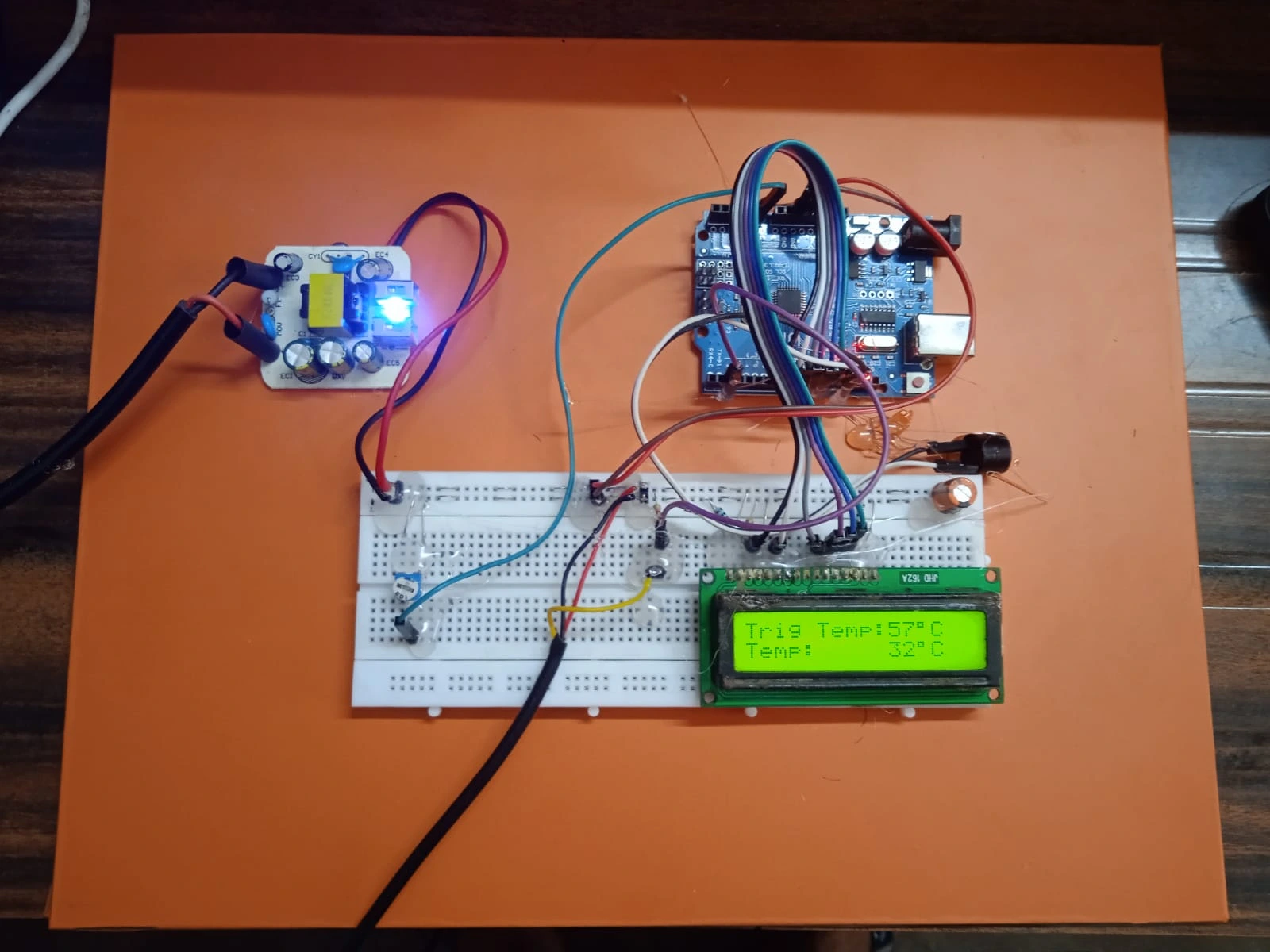
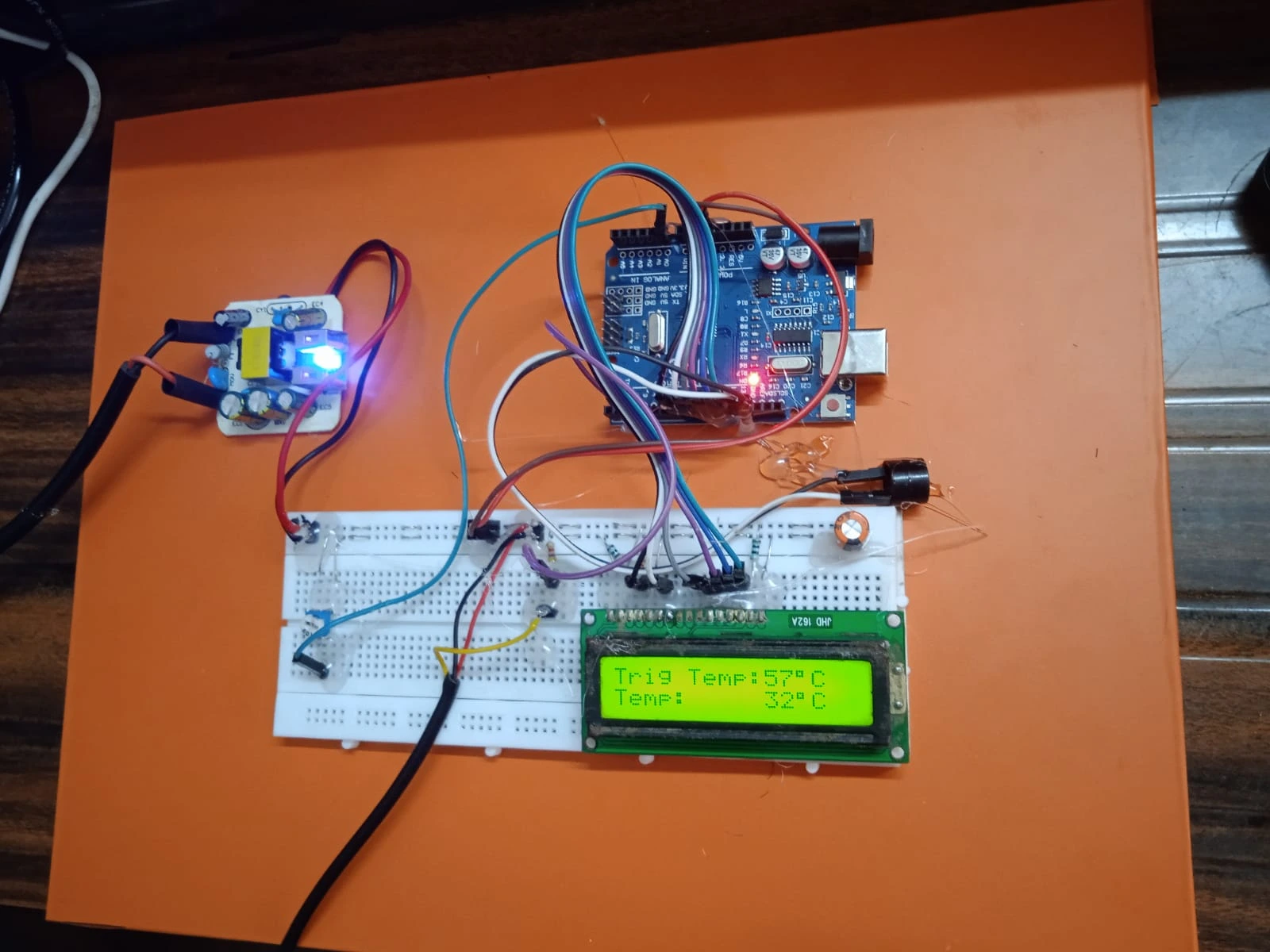
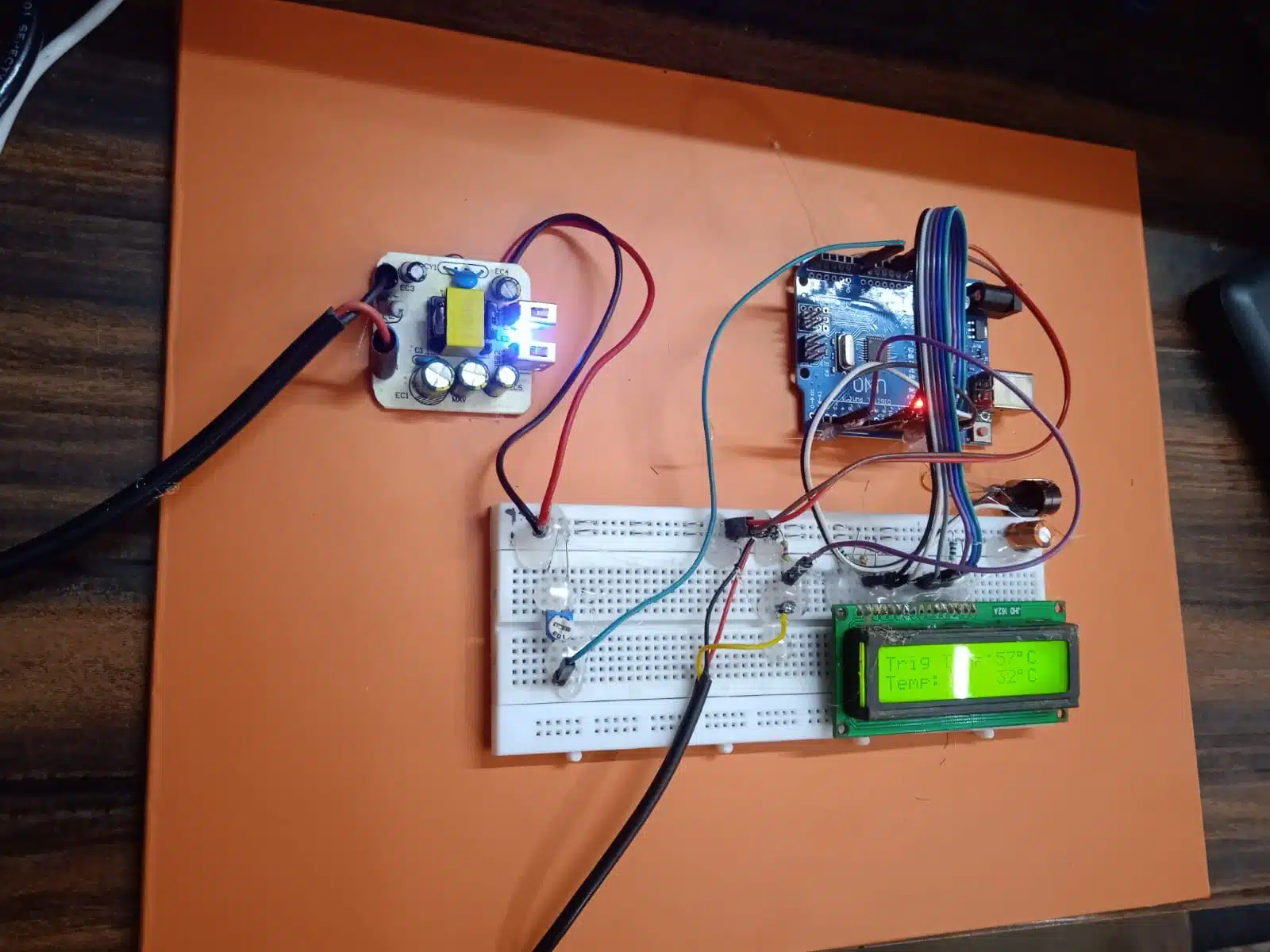
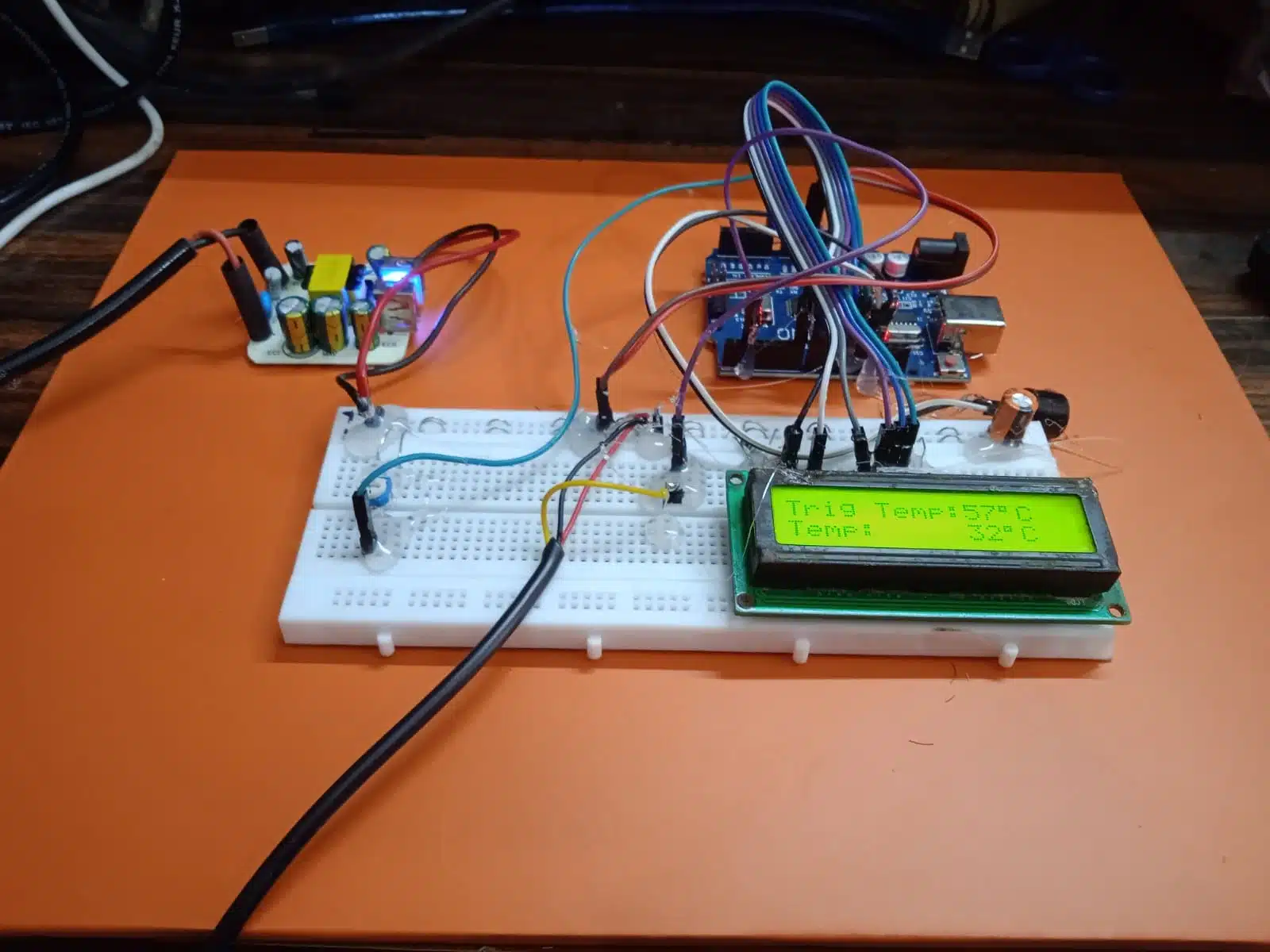
Temperature control systems are essential in various industrial, commercial, and household applications. They help maintain an optimal environment by ensuring that the temperature does not exceed or fall below certain limits. This project demonstrates a simple yet effective temperature controller using an Arduino Uno, DS18B20 digital temperature sensor, 16×2 LCD, variable resistance (potentiometer), buzzer, and a 5V DC power supply. The main functionality of this system is to compare the real-time temperature with a user-defined reference temperature and trigger a buzzer if the real-time temperature exceeds the reference temperature.
2. Objectives
The main objectives of this project are:
-
To build a temperature monitoring system using the DS18B20 digital temperature sensor.
-
To display the current and reference temperature on a 16×2 LCD.
-
To allow users to set the reference temperature using a variable resistance (potentiometer).
-
To activate a buzzer when the current temperature is greater than or equal to the reference temperature.
-
To deactivate the buzzer when the temperature falls below the reference temperature.
3. Components Required
| Component | Quantity |
|---|---|
| Arduino Uno | 1 |
| DS18B20 Temperature Sensor | 1 |
| 16×2 LCD Display | 1 |
| Potentiometer (10kΩ) | 1 |
| Buzzer | 1 |
| Breadboard | 1 |
| Jumper Wires | As needed |
| 4.7kΩ Resistor (for DS18B20 pull-up) | 1 |
| 5V DC Power Supply | 1 |
4. Working Principle
The project is based on the principle of comparing two temperature values:
-
Current Temperature: This is measured using the DS18B20 temperature sensor, which communicates with Arduino using one-wire communication protocol.
-
Reference Temperature: This value is simulated using a potentiometer. The analog voltage from the potentiometer is read by the Arduino and mapped to a temperature range.
The reference temperature is adjustable via the potentiometer. The Arduino continuously compares the current temperature with this reference. If the current temperature is greater than or equal to the reference, the buzzer is activated. Otherwise, the buzzer remains off.
The values of both temperatures (current and reference) are shown on the 16×2 LCD in real-time.
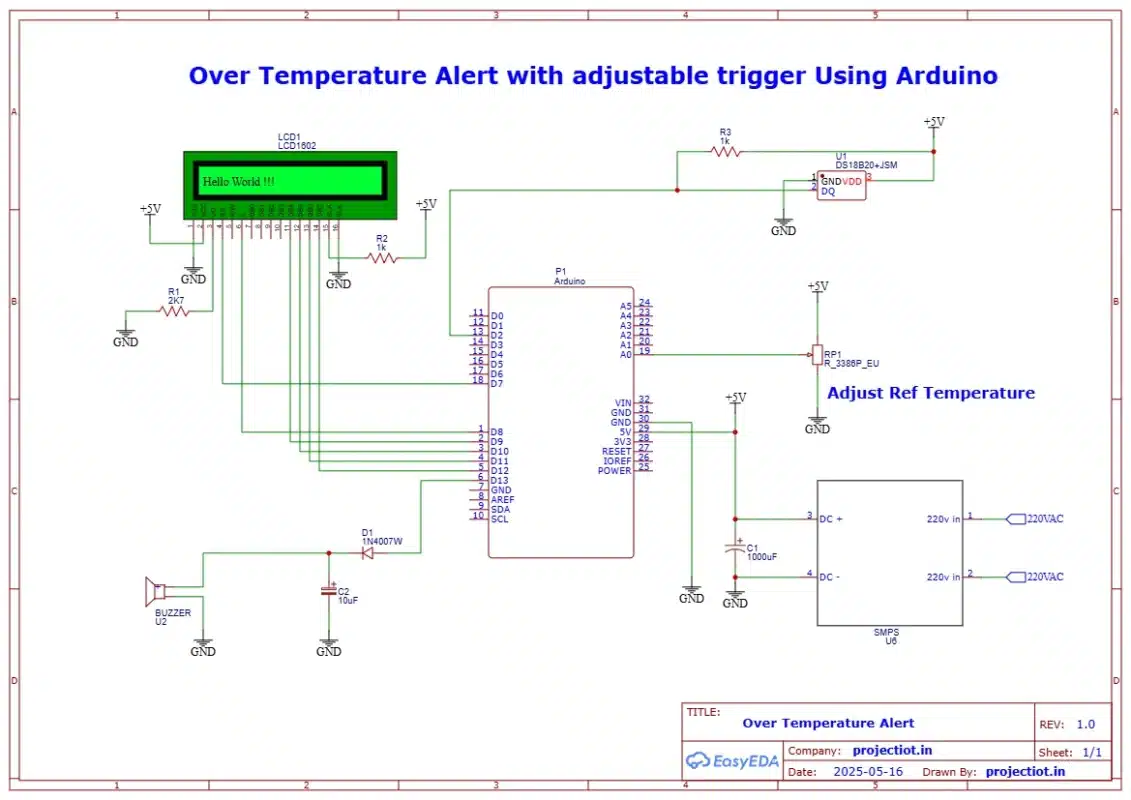
5. Circuit Diagram Description
Connections Overview:
-
DS18B20 Sensor:
-
VCC → 5V
-
GND → GND
-
DATA → Digital Pin 2 (with a 4.7kΩ pull-up resistor to 5V)
-
-
LCD (16×2):
-
Connected via 4-bit mode to Arduino digital pins (e.g., RS to pin 7, E to pin 8, D4–D7 to pins 9–12)
-
VSS → GND, VDD → 5V, VO → Middle terminal of a small 10kΩ potentiometer for contrast control
-
-
Potentiometer (for reference temperature):
-
One end → 5V
-
Other end → GND
-
Wiper (middle pin) → A0 (Analog input of Arduino)
-
-
Buzzer:
-
Positive terminal → Digital Pin 3
-
Negative terminal → GND
-
6. Code Explanation
Here’s a simplified breakdown of the code:
-
Libraries Used:
-
OneWire.handDallasTemperature.hfor interfacing with the DS18B20. -
LiquidCrystal.hfor LCD operation.
-
-
Reading the Current Temperature:
-
The DS18B20 sends the temperature data via digital pin using the one-wire protocol.
-
The library functions are used to request and retrieve temperature in Celsius.
-
-
Reading Reference Temperature:
-
The analog value from the potentiometer (0–1023) is read.
-
This is mapped to a temperature range (e.g., 0–100°C) to simulate the reference value.
-
-
Comparison and Buzzer Logic:
-
If the current temperature is ≥ reference temperature, digital pin controlling the buzzer is set HIGH.
-
Otherwise, it is set LOW.
-
-
LCD Display:
-
The LCD displays both current and reference temperatures continuously.
-
Sample Code Snippet:
#include <OneWire.h>
#include <DallasTemperature.h>
#include <LiquidCrystal.h>
#define ONE_WIRE_BUS 2
#define BUZZER_PIN 3
#define POT_PIN A0
OneWire oneWire(ONE_WIRE_BUS);
DallasTemperature sensors(&oneWire);
LiquidCrystal lcd(7, 8, 9, 10, 11, 12);
void setup() {
sensors.begin();
lcd.begin(16, 2);
pinMode(BUZZER_PIN, OUTPUT);
digitalWrite(BUZZER_PIN, LOW);
}
void loop() {
sensors.requestTemperatures();
float currentTemp = sensors.getTempCByIndex(0);
int potValue = analogRead(POT_PIN);
float refTemp = map(potValue, 0, 1023, 0, 100); // Map to 0-100°C
lcd.setCursor(0, 0);
lcd.print(“Curr: “);
lcd.print(currentTemp, 1);
lcd.print(” C”);
lcd.setCursor(0, 1);
lcd.print(“Ref : “);
lcd.print(refTemp, 1);
lcd.print(” C”);
if (currentTemp >= refTemp) {
digitalWrite(BUZZER_PIN, HIGH);
} else {
digitalWrite(BUZZER_PIN, LOW);
}
delay(500); // Update every 0.5 seconds
}
7. Advantages of the Project
-
Simple to Build: Uses basic components easily available in most electronics kits.
-
Customizable: The system can be easily modified to control fans or heaters instead of just a buzzer.
-
Real-time Monitoring: Provides continuous feedback on both actual and setpoint temperature.
-
Educational Value: Great for understanding analog-to-digital conversion, one-wire communication, and control systems.
8. Applications
This kind of system can be used in:
-
Home appliances (like air conditioners, heaters)
-
Server rooms to monitor equipment temperature
-
Laboratory environments
-
Greenhouses for plant climate control
-
Industrial automation where temperature monitoring is crucial
9. Limitations and Future Enhancements
Limitations:
-
The system only triggers an alert (buzzer) without taking corrective action (like turning on a fan).
-
The temperature reference is limited to a fixed range set by the potentiometer.
-
No data logging or remote monitoring capability.
Possible Enhancements:
-
Add a relay module to control a fan or cooling device automatically.
-
Integrate with IoT platforms to monitor temperature remotely.
-
Add EEPROM storage or SD card to log temperature data over time.
-
Use a rotary encoder instead of a potentiometer for more precise reference setting.
-
Include an OLED or TFT display for better UI.
10. Conclusion
This project successfully demonstrates how an Arduino can be used to monitor and control temperature using simple hardware components. The buzzer serves as an immediate alert mechanism, while the reference temperature set via a potentiometer makes the system interactive and customizable. It serves as a strong foundational project in embedded systems and automation, suitable for hobbyists, students, and educational demos.




Reviews
There are no reviews yet.