




Intelligent Transformer Protection & Load Management System
1. Project Overview
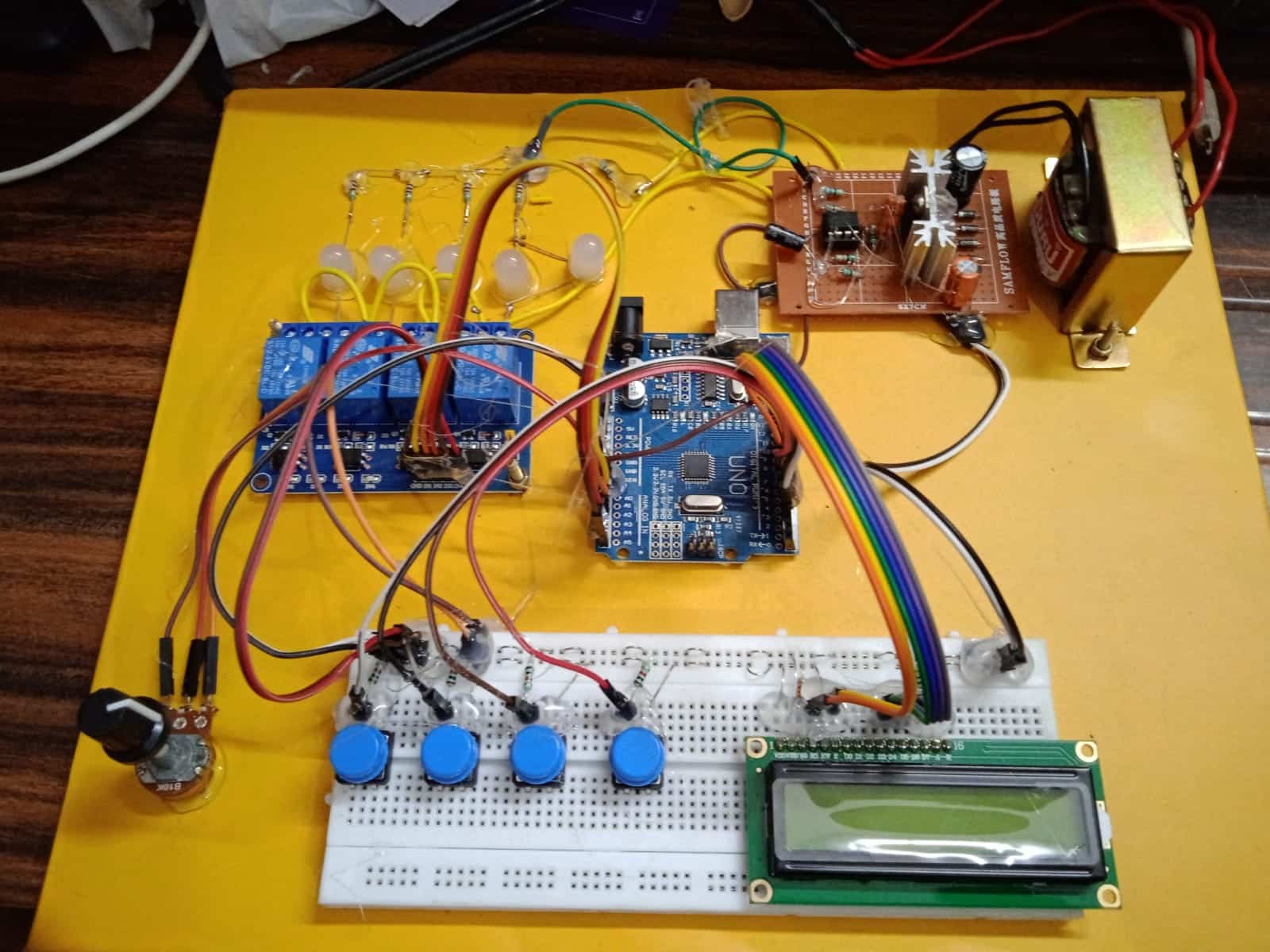
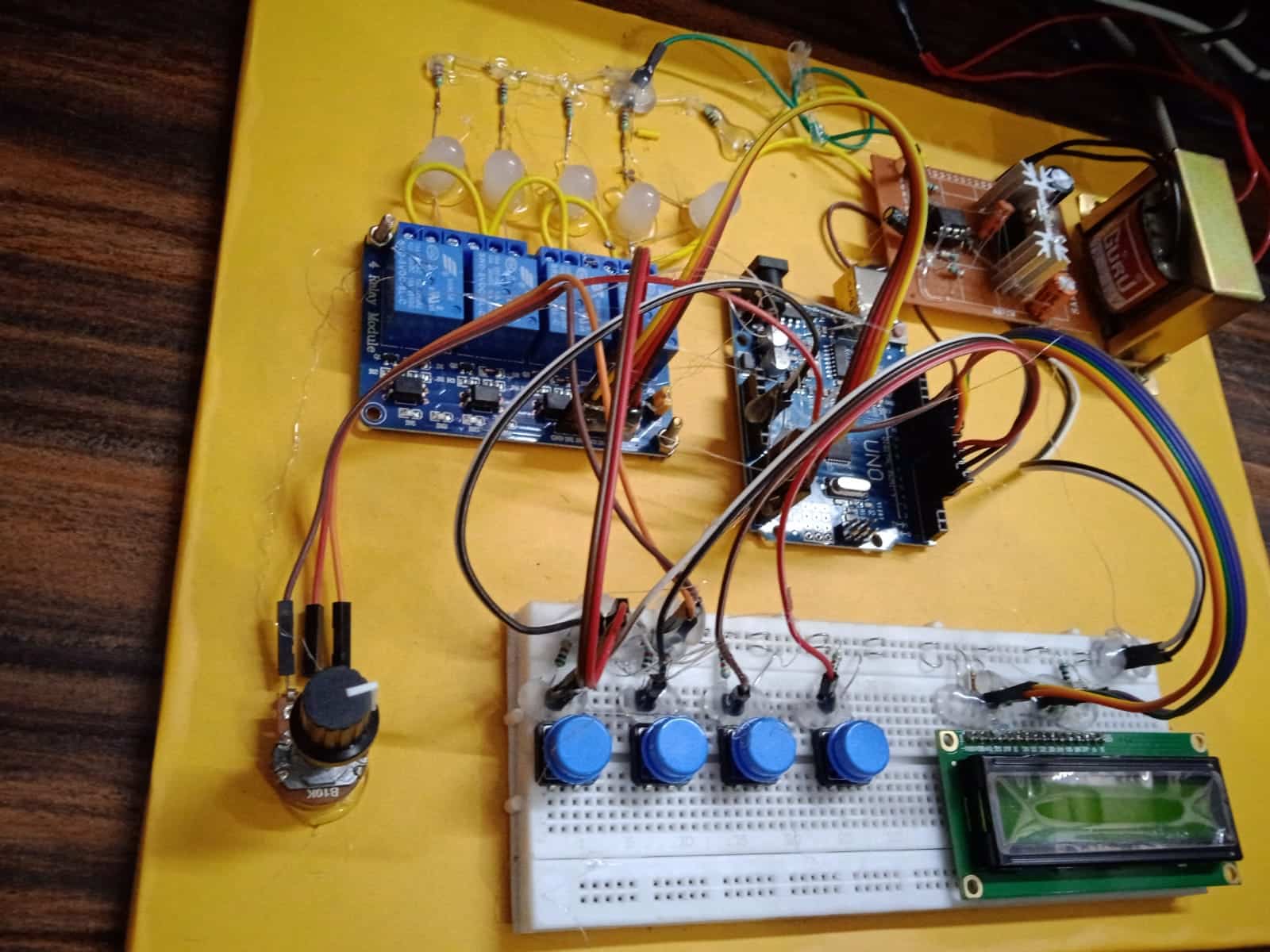
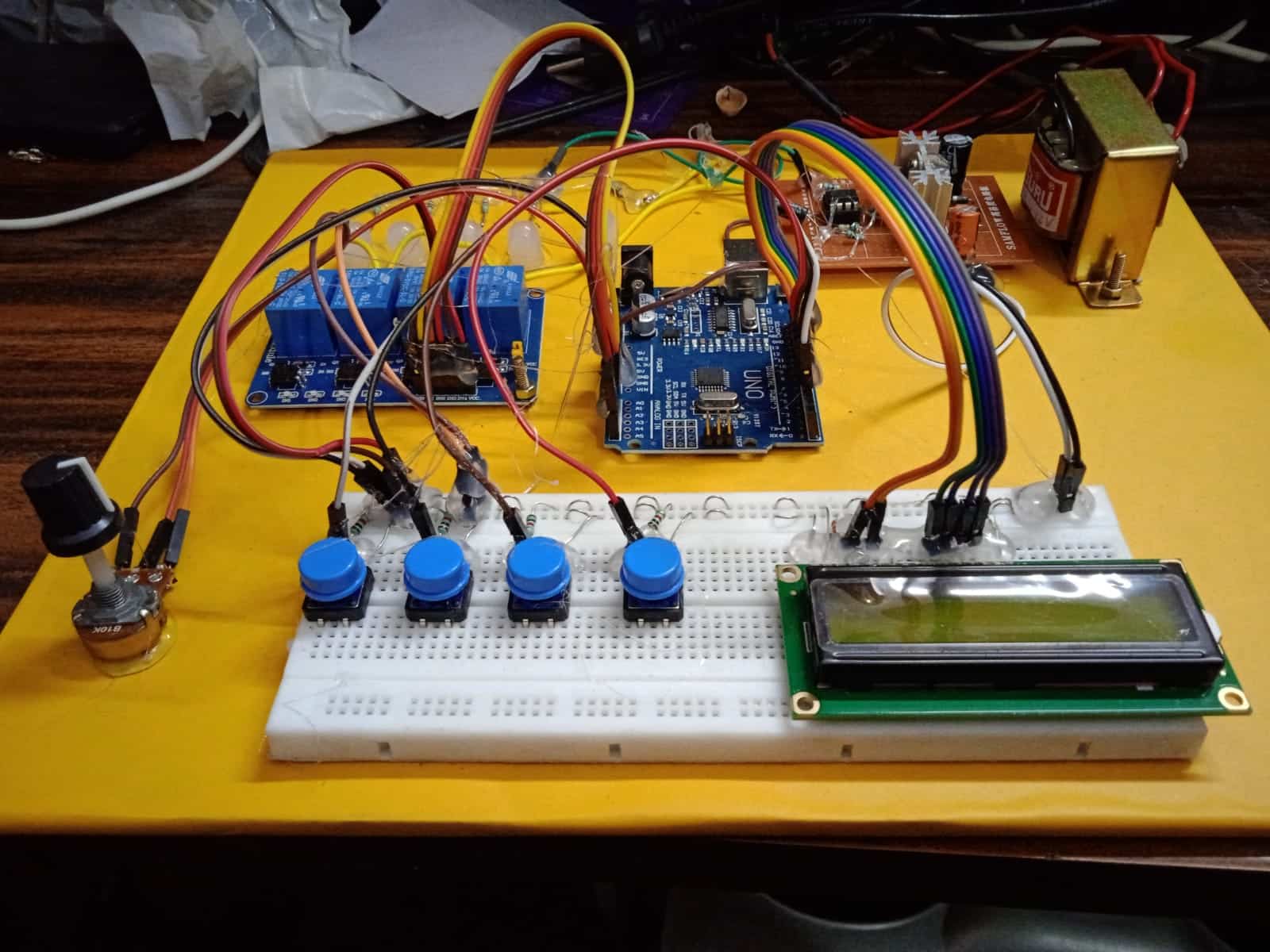
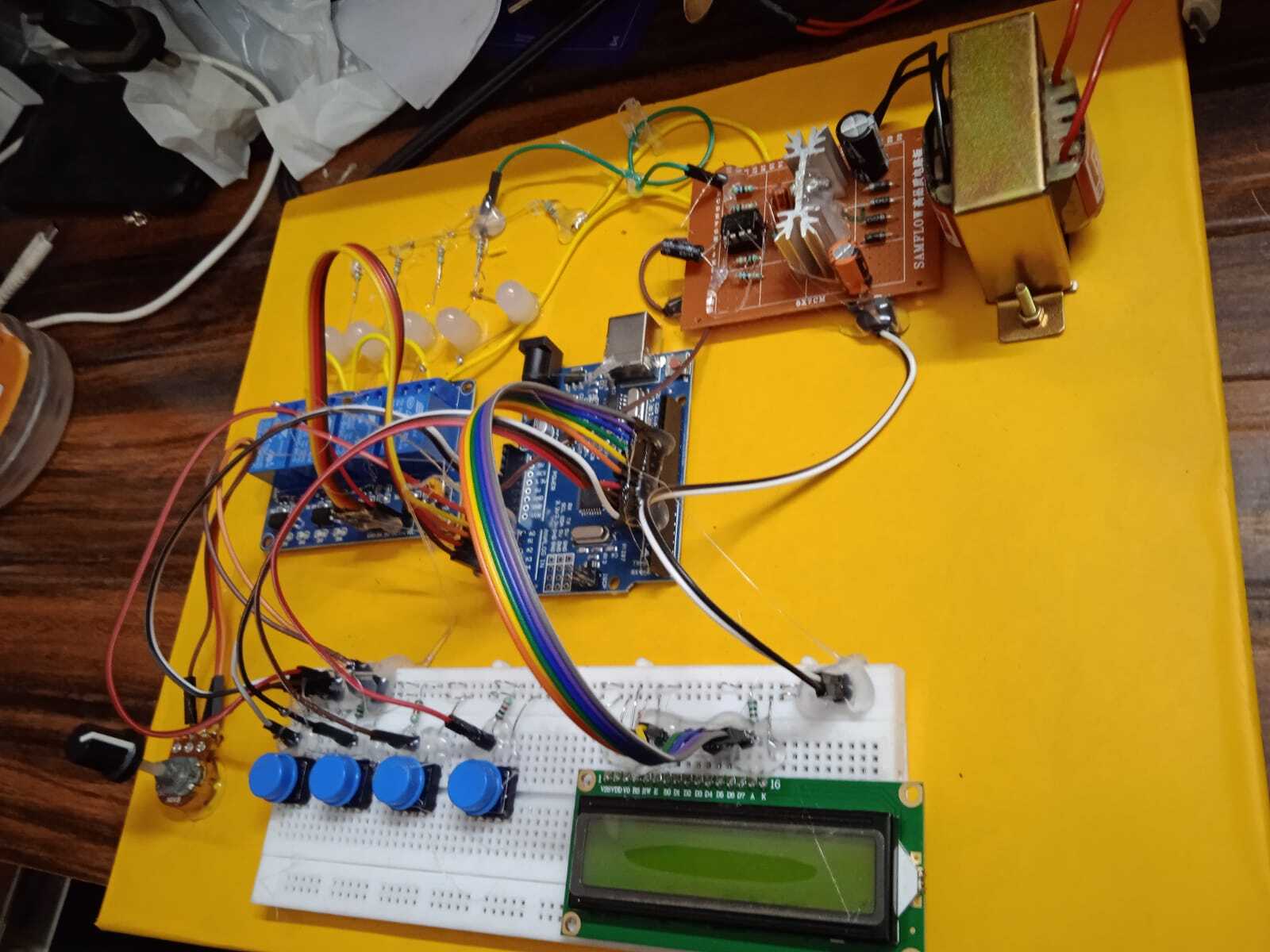
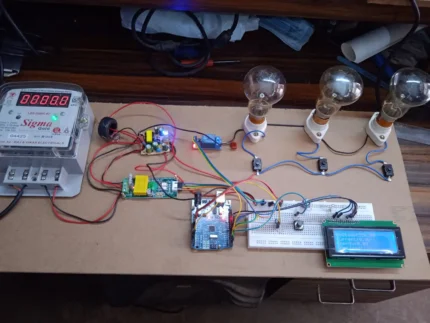
The objective of this project is to design and implement a microcontroller-based protection system that monitors electrical loads in real-time. By utilizing an Arduino Uno, the system compares the current drawn by a load against a user-defined reference point. If an overload condition persists for a predetermined safety window (3 seconds), the system intelligently disconnects the load to prevent thermal damage to the 12V step-down transformer.
2. System Architecture & Components
The system is divided into three main stages: Power Supply, Control Logic, and Sensing/Actuation.
-
Microcontroller: Arduino Uno (The “Brain” of the system).
-
Power Section: * 12V Step-Down Transformer: Converts AC mains to a lower voltage.
-
LM7805 Voltage Regulator: Provides a stable 5V DC rail for the Arduino and LCD.
-
-
Input Interface:
-
4 Push Buttons: Used for manual control or setting parameters.
-
Potentiometer (Pot): Used to set the Reference Current () threshold.
-
-
Sensing Circuit:
-
DC Amplifier Circuit: Amplifies low-level current signals into a voltage range (0-5V) readable by the Arduino’s Analog-to-Digital Converter (ADC).
-
-
Output Interface:
-
16×2 LCD Display: Visualizes real-time load status, current values, and system messages.
-
4-Channel Relay Module: Switches the loads ON/OFF based on Arduino signals.
-
3. Theory of Operation
A. Current Sensing and Amplification
Since the Arduino cannot measure high current directly, a shunt resistor or sensor converts current into a small voltage. The DC Amplifier scales this voltage. The relationship follows the linear equation:
Where is the gain of your amplifier circuit.
B. The “Trip” Logic (Software Protection)
The Arduino continuously reads the analog value from the Potentiometer () and the DC Amplifier ().
-
Comparison: If , the Arduino starts an internal timer.
-
The 3-Second Rule: Instead of tripping instantly (which could be triggered by a harmless “inrush current” spike), the Arduino waits for 3 seconds.
-
Actuation: If the condition remains true after 3 seconds, the Arduino sends a
LOWorHIGHsignal (depending on relay type) to the Relay Module to disconnect the load.
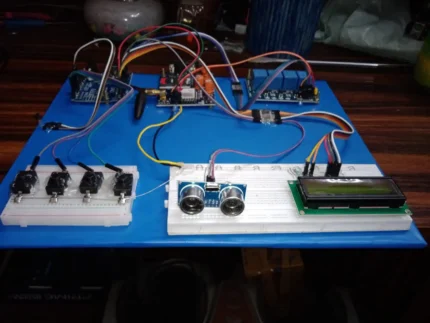
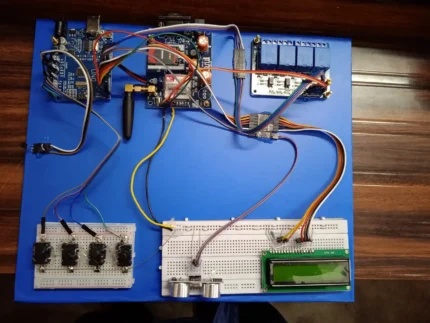
4. Circuit Interconnections
5. Flowchart Logic
-
Initialize: Start LCD, set pin modes for Relays (OUTPUT) and Buttons (INPUT).
-
Read Inputs: Get values from the Pot and the DC Amplifier.
-
Display: Show Current and Reference values on the 16×2 LCD.
-
Check Condition: Is ?
-
NO: Keep relays active; reset timer.
-
YES: Start counting. If 3 seconds pass, SHUTDOWN specific relay and display “OVERLOAD” on LCD.
-
-
Reset: Wait for user input via push button to restart the system.
6. Key Benefits of this Design
-
Transformer Longevity: Prevents the 12V transformer from overheating due to excessive current draw.
-
False-Positive Prevention: The 3-second delay ensures that temporary motor starts or capacitor charging doesn’t cause “nuisance tripping.”
-
User Interaction: The LCD and Potentiometer allow the user to calibrate the safety limit without changing the code.
7. Conclusion
This project successfully demonstrates a closed-loop control system. By integrating analog signal conditioning (DC amplifier) with digital processing (Arduino), you have created a robust safety mechanism that is applicable in industrial automation and home power management.
Technical Project Report: Microcontroller-Based Intelligent Load Management & Transformer Protection System
1. Abstract
This report details the development of an automated protection system designed to safeguard a 12V Step-down Transformer from thermal failure due to over-current. By utilizing an Arduino Uno as the central processing unit, the system monitors real-time DC current via an amplification circuit. The system features a user-adjustable reference threshold and a time-delayed trip mechanism to ensure both safety and operational continuity.
2. Hardware System Design
2.1 Power Supply Unit (PSU)
Reliability begins with stable power. The system utilizes a dual-stage power strategy:
-
Primary Stage: A 12V Step-down transformer reduces mains AC to 12V AC, which is rectified to DC.
-
Secondary Stage: An LM7805 Linear Regulator is implemented with decoupling capacitors ( input and output) to provide a ripple-free 5V DC supply for the microcontroller and the 16×2 Liquid Crystal Display.
2.2 Signal Conditioning (The DC Amplifier)
Since the Arduino’s ADC measures voltage () and not current, a DC Amplifier circuit (likely using an Op-Amp like the LM358) is used. It senses the voltage drop across a low-resistance shunt and amplifies it:
This allows the Arduino to detect even minute fluctuations in load demand.
2.3 User Interface and Control
-
16×2 LCD: Utilizes the Parallel Interface (RS, E, D4-D7) to provide real-time telemetry.
-
Precision Potentiometer: Acts as an analog set-point provider. Turning the pot changes the “Ref Current” value stored in the Arduino’s memory.
-
4-Channel Relay Module: Provides galvanic isolation between the low-power Arduino and the high-power loads.
3. Software Logic & Algorithm
The system operates on a Continuous Monitoring Loop (CML). The most critical part of the software is the Integration Timer for overload protection.
3.1 The Protection Algorithm
The code does not trip immediately. It uses a “Validation Window” to distinguish between a temporary surge and a sustained fault.
4. Component Interconnection Matrix
5. Safety and Performance Analysis
5.1 Thermal Protection
The primary reason for the 3-second delay is the Transformer’s Thermal Constant. Transformers can handle brief surges (like a motor starting) without melting the insulation. By allowing 3 seconds, we prevent “nuisance tripping” while still cutting power long before the copper windings reach critical temperatures.
5.2 Error Margins
By using the LM7805, we ensure the ADC reference voltage is stable. If the supply voltage fluctuates, the and readings would become inaccurate. The 7805 limits this error to less than 1%.
6. Conclusion
The project successfully integrates analog sensing with digital logic to create a “Smart Fuse.” Unlike a traditional fuse that must be replaced, this system is resettable, adjustable via the potentiometer, and provides visual feedback via the LCD. It effectively transforms a standard 12V transformer into a protected power laboratory workstation.




Reviews
There are no reviews yet.